Azure DevOps Pipelines, Right in VS Code
 Robert Prüst
I built a VS Code extension: Azure DevOps Pipelines Enhanced. It shows your Azure DevOps pipeline runs right in VS Code, so you don’t have to keep a browser tab open to see whether your build went green.
I mentioned it on The PowerShell Podcast last week — and since then it’s on the Marketplace.
Why I built it
During this year’s MVP Summit in Redmond, I ran into Justin Grote and he showed me this VS Code extension he had been working on, GitHub Actions Enhanced.
I was very impressed by how well it worked and the added functionality, so I asked him if he had something similar for Azure DevOps (since that’s my platform of choice).
He didn’t have one at the time, but he said “but why don’t you build one yourself?”.
I told him I had no clue how to build a VS Code extension, but he said “with the GitHub Actions Enhanced code as a reference, along with AI you should be able to figure it out”.
Armed with some more tips on what to pay attention to and what to avoid, I set out to build my own extension for Azure DevOps Pipelines!
What it does
It reads the organization and project from your git remote, signs in with your Microsoft account in VS Code, and then:
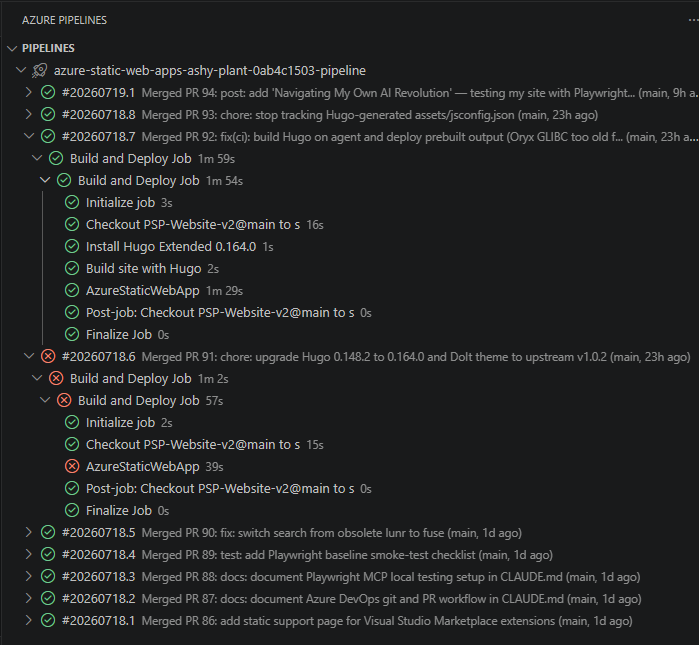
- Shows your YAML pipelines in a tree — runs with their stages, jobs and tasks, status icons, durations, and the commit message and branch for each run
- Has a Current Branch view — only the runs for the branch you have checked out, following the active folder in multi-root workspaces
- Puts the status in the status bar — spinning while it runs, a green check on success, red on failure
- Notifies you when a build on your current branch finishes, with an Open in Browser button
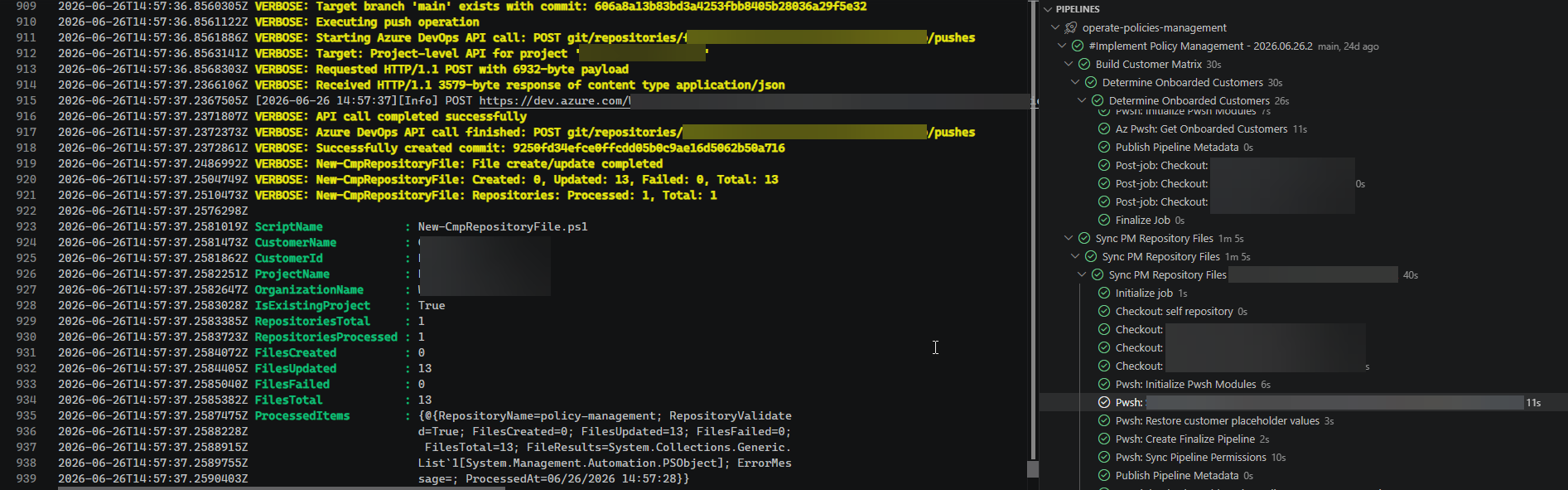
- Updates live — runs are refreshed every 15 seconds, in-progress timelines every 5, with backoff when Azure DevOps rate-limits you
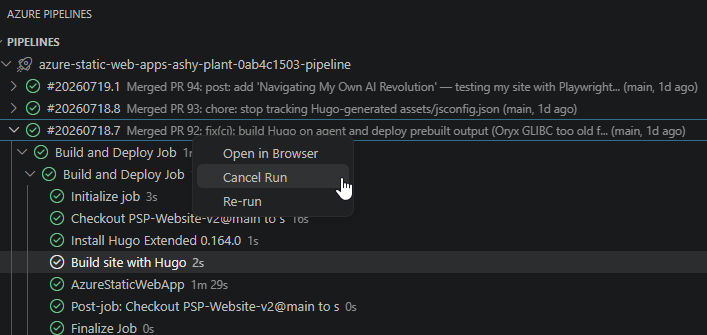
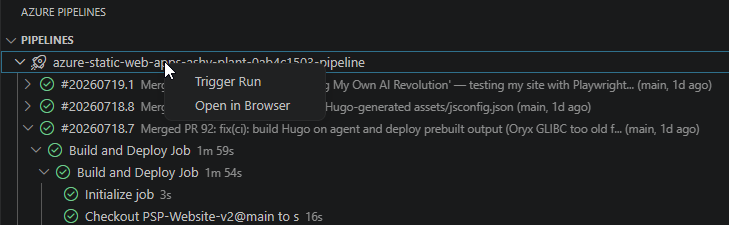
- Lets you act — trigger a run on a branch, cancel, re-run, or open it in the browser
- Shows the logs in an editor tab, with
##[section],##[warning]and##[error]lines colour-coded and##[group]blocks foldable

How to get it
Search for Azure DevOps Pipelines Enhanced in the VS Code extensions view, or install it from the Marketplace. You need VS Code 1.85 or later and a repository with an Azure DevOps remote.
Two limitations to know about: it supports YAML pipelines only (no classic pipelines), and Azure DevOps Services only (dev.azure.com), not an on-premises Azure DevOps Server.
The source is on GitHub under the MIT license — issues and pull requests are welcome.
Happy scripting 😊